
The Best POS System Kenya 2026: A Complete Buyer’s Guide for Every Business
Compare POS systems for Kenyan businesses by checkout, stock control, payments, invoicing, connectivity and the limits of the chosen package.
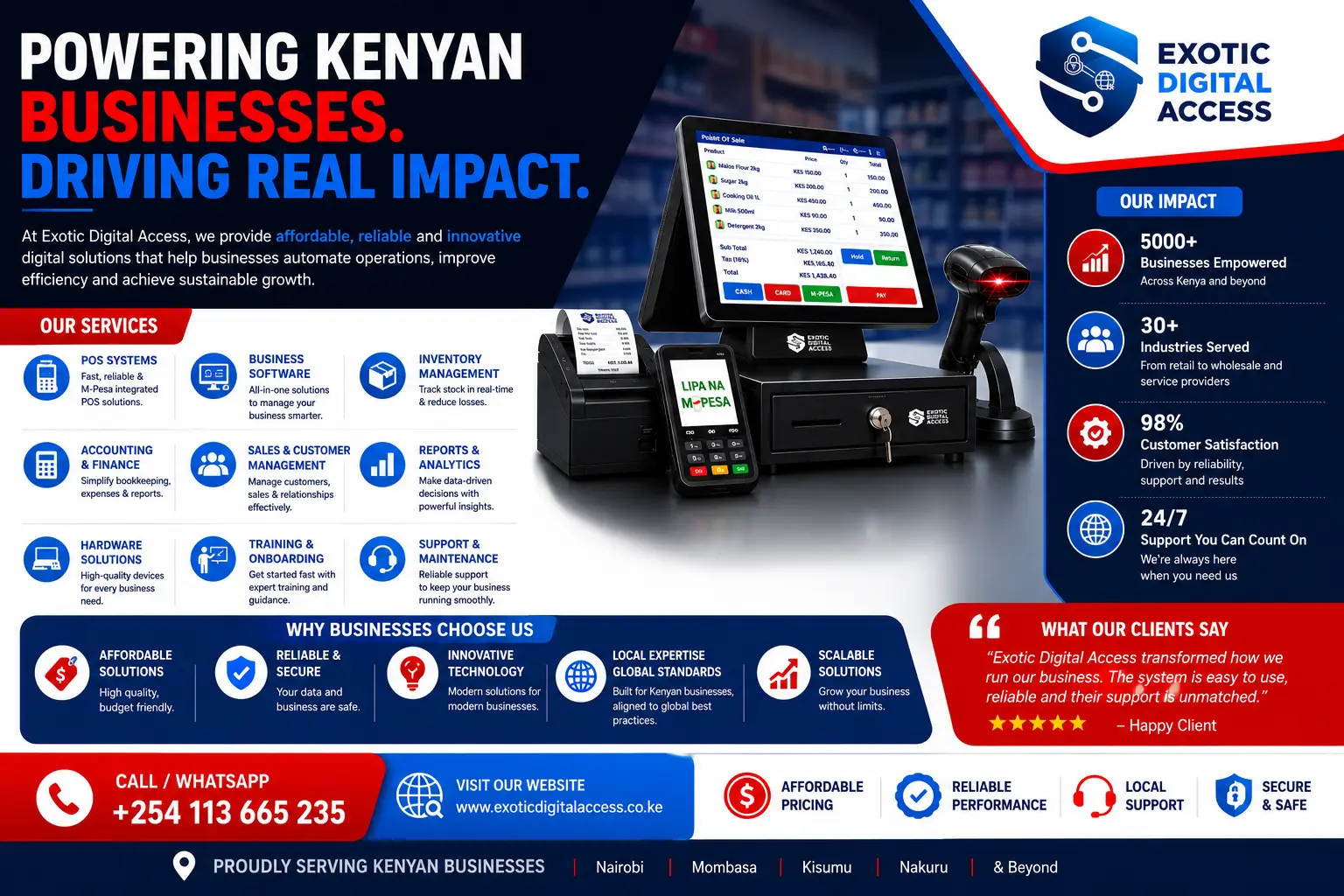
Choosing the best POS system Kenya requires a comparison of your business workflows, connectivity, payments and invoicing needs. Review the applicable KRA eTIMS guidance with KRA or your adviser and ask the vendor to demonstrate the invoicing workflow. Review M-Pesa payment options separately, including merchant eligibility, setup, supported payment flows and any additional fees.
Ask how the system handles eTIMS alongside M-Pesa for your merchant account. The best POS system for your business should have a documented implementation scope, clear payment records and the features your staff need. Confirm how integrations and any manual checks will work before choosing.
This guide explains how to shortlist the best POS system for your business: compare essential workflows, ask vendors practical questions, review total cost, and check the E.D.A package and implementation scope against your requirements.
What to Look for When Choosing the Best POS System Kenya 2026
Compare the requirements that matter to your business rather than assuming that every POS includes the same services. Ask each vendor to demonstrate the invoicing route, payment workflow, stock controls, internet requirements, package limits and support scope before making a decision.
Invoicing Requirements
Confirm the invoicing process your business needs, the applicable KRA requirements, and any required integration or certification. Ask the vendor to demonstrate the agreed workflow and confirm its implementation scope in writing.
Merchant Payment Setup
Ask which M-Pesa payment flows can be configured for your merchant account, including whether STK Push is available. Demonstrate how payments are recorded and matched, and confirm credentials, setup, fees and any manual checks.
Real-Time Inventory Management
Demonstrate stock deductions, returns, reporting, barcode use and any expiry or supplier workflows you need. Confirm which controls and modules are available in the chosen package.
Cloud Access and Connectivity
Check supported devices and internet requirements. E.D.A POS needs an active internet connection and does not process transactions offline or queue them for later synchronisation. Plan your continuity procedure before deployment.
Multi-Branch Support
For more than one location, demonstrate the stock transfers, reporting and permissions you need. Confirm the number of business locations allowed by the chosen package.
Transparent, Scalable Pricing
Compare subscription prices, package limits, hardware needs, onboarding and integration costs. Request a written quote covering the services your business requires.
Local Kenya Support
Discuss support hours, contact channels, onboarding and any on-site arrangements before choosing a package. Record what is included in the quote and how your team should request help.
Fit for Your Business
The best POS system for your business should match its sales, stock, payment and reporting workflows. Evaluate the package and implementation you are being offered, including any external services or connectors.
Evaluate E.D.A against these criteria with a package and implementation scope that fit your business. Compare current pricing and request a demonstration of the features you need.
Request a POS DemoFeatures Every Best POS System Kenya Must Include in 2026
Use the following feature checklist to prepare your demonstration. Priorities vary by business; confirm the applicable invoicing requirements, chosen package, integration work and total cost.
Confirm Invoicing Integration
Confirm the required invoicing route, merchant setup and any integration work before deployment. Do not assume that automatic eTIMS submission or a particular certification is included in every POS package.
Confirm M-Pesa Payment Flows
Ask whether the required M-Pesa payment flow can be configured for your merchant account and demonstrate the confirmation and matching process. Review the relevant M-Pesa records and confirm what remains a staff responsibility.
Real-Time Inventory
Check stock deductions, barcode use, reports, alerts and any expiry or supplier controls with representative products. Confirm availability and limits in the chosen package.
Online Cloud Access
E.D.A POS requires an active internet connection. It does not process transactions offline or queue them for later synchronisation. Plan reliable connectivity for the sales counter and confirm your continuity procedure.
Real-Time Analytics
Demonstrate the sales, stock and performance reports you need. Confirm the available reports, access permissions and any required modules for the chosen package.
WhatsApp Integration
Confirm whether your required customer notifications can be configured through WhatsApp Business and request written confirmation of integration work, message charges, subscriptions and any additional fees.
Multi-Branch Management
For growing businesses, demonstrate reporting and stock controls across the required locations. Confirm package location limits and configuration work before deployment.
CRM & Loyalty
Demonstrate the customer records, loyalty or promotion workflow you need and confirm the available modules, permissions and package limits.
Payroll & HR
Confirm whether the payroll and HR modules you require are available in the chosen package. Review configuration, supported workflows and any separate service or subscription costs.
Best POS System Kenya 2026 — Feature Comparison
Use the table below as a practical checklist when shortlisting a POS system. Confirm E.D.A package details and ask every other vendor for the same evidence; features and fees vary by provider and implementation.
“The best POS system for your business is the one whose demonstrated workflows, package limits, connectivity requirements and total cost match your operation. Confirm integrations and implementation scope before choosing.”
| Feature / Requirement | E.D.A POS review | Ask any vendor | Evidence to request | Decision check |
|---|---|---|---|---|
| Invoicing and eTIMS | Confirm merchant integration | Which invoicing route is supported? | Written integration scope | Check current KRA requirements |
| M-Pesa payments | Confirm merchant setup | Which payment flows are supported? | A merchant-specific demonstration | Confirm setup and transaction fees |
| Inventory management | Compare chosen package limits | How are stock changes recorded? | A sale, return and stock-report demonstration | Check product and user limits |
| Internet connectivity | Active internet is required | What happens when connectivity fails? | A documented continuity procedure | E.D.A POS has no offline queue |
| WhatsApp API integration | Confirm the required service and scope | What is included in the quote? | Written integration and subscription details | Include additional costs in the budget |
| Business locations | Package location limits apply | How many locations are covered? | A quote with location limits | Choose enough locations for your business |
| Payroll and HR | Confirm the required modules | Is the module part of the chosen package? | The package module list | Confirm pricing and configuration |
| Accounting workflow | Confirm the required integration | Which records and exports are supported? | A reconciliation and reporting demonstration | Confirm connection and setup costs |
| Monthly subscription price | Retail and Wholesale starts at KSh 1,000 | Which recurring fees apply? | The current package quote | Compare the total cost |
| Support arrangements | Discuss available help and onboarding | Which hours and channels are covered? | Written support scope | Confirm any on-site arrangements |
| Fit for your business | Demonstrate your actual workflow | Does it match your product and sales setup? | A realistic stock and checkout demonstration | Check requirements before choosing |
Why E.D.A by Exotic Digital Access Is the Best POS System Kenya Businesses Choose in 2026
The best POS system is the one that fits your actual operation. Demonstrate checkout, stock updates, payment recording, invoicing and reporting using realistic examples. Then compare the package limits, internet requirements, integration scope and total price before committing.
Confirm Your Invoicing Scope
Confirm your invoicing requirements and any required eTIMS integration during assessment. Request written confirmation of what is included and demonstrate the agreed workflow; the POS subscription alone is not a guarantee of tax compliance.
Coordinate Payment and Invoicing Workflows
Review how the proposed payment setup, sale records and invoicing process will work together. Confirm merchant eligibility, integration scope, any additional fees and the checks your staff must perform.
Complete Inventory Management
Compare stock controls such as product setup, barcode use, stock reports and branch transfers against your workflow. Product, user, invoice and location limits, as well as included modules, depend on the chosen package.
Plan Reliable Internet Connectivity
E.D.A POS is an online cloud platform and requires an active internet connection. It does not provide offline transaction processing or later queue synchronisation. Check connectivity at each location before deployment.
Confirm WhatsApp Integration
Discuss the WhatsApp messages and workflows you need. Confirm the available integration, merchant or business setup, message charges, subscription fees and implementation scope in writing.
Compare Packages and Total Cost
Compare the current Retail and Wholesale packages and choose the limits and modules your business needs. Confirm any payment, invoicing, WhatsApp, hardware, onboarding or integration charges in the quote rather than assuming they are bundled.
Most platforms calling themselves the best POS system should be evaluated against your own workflows. Ask E.D.A to demonstrate the package, payment setup, stock controls and reporting you need, and confirm the implementation scope and support arrangements.
Request a POS DemoThe Best POS System Kenya for Your Specific Industry
Different sectors need different workflows. Use a demonstration to check the package and configuration for your business, including product and invoice limits, locations, users, required modules and any integrations.
Best POS Kenya for Supermarkets
Supermarkets should assess checkout throughput, cashier permissions, barcode workflows, stock reporting and invoicing needs. Demonstrate peak-hour tasks with representative products and confirm that the chosen package and configuration fit the operation.
Best POS Kenya for Retail Shops
Small and medium retailers should compare checkout, stock and payment recording against daily tasks. The current Retail and Wholesale Small package starts at KSh 1,000 per month; review its limits and included modules before choosing.
Best POS Kenya for Restaurants
Restaurants should demonstrate the ordering, kitchen, stock and payment workflows they require. Confirm the chosen package, any restaurant-specific modules, and the invoicing and integration scope before deployment.
Best POS Kenya for Pharmacies
Chemists and pharmacies should assess expiry and batch workflows, stock control, permissions and invoicing needs using representative stock. Confirm the required controls, package and integrations before deployment.
Best POS Kenya for Wholesale
Wholesalers should check customer invoicing, bulk stock, credit workflows and transfers between locations. Demonstrate the required tasks and confirm package limits and any invoicing integration in the quote.
Best POS Kenya for Hardware Shops
Hardware businesses should demonstrate units of measure, price handling, stock movements and trade-customer invoicing using their actual product types. Confirm the package, configuration and integration work needed.
Frequently Asked Questions About the Best POS System Kenya 2026
What is the best POS system Kenya businesses can use in 2026?
Does the best POS system Kenya need eTIMS in 2026?
What makes a POS system Kenya-specific vs a generic system?
How much does the best POS system Kenya cost per month?
Can the best POS system Kenya work across multiple branches?
What is the difference between VSCU and OSCU for eTIMS POS Kenya?
The Best POS System Kenya 2026 — Our Verdict
Finding the best POS system for your business starts with a practical assessment of checkout, stock control, invoicing, payments, connectivity and package limits. Review the applicable Invoicing requirements alongside M-Pesa payment requirements separately. Ask the provider to demonstrate the proposed configuration and confirm the full scope and price in writing.
E.D.A POS offers packages to evaluate against your sales and stock workflows. Compare current package limits and included modules, plan for an active internet connection, and confirm the required payment and invoicing integrations with the team before deployment.
Include E.D.A in your POS shortlist and use a demonstration to check the workflows that matter to your business. A clear package, implementation quote and connectivity plan will help you compare options and prepare your staff.
Ready to Experience the Best POS System Kenya 2026 Has to Offer?
Request a POS demonstration using your business requirements. Review checkout, stock, reporting, payment recording and invoicing needs, then confirm the chosen package, integration scope and setup costs before choosing.
Request a POS Demo
Great post! Thanks for sharing this valuable information. Keep up the excellent work.